What if I told you that the tool you chose for local Drupal development could be costing you 40 minutes per week in lost productivity? Across a team of five developers, that is over 170 hours per year — the equivalent of an entire month of a senior developer’s time — evaporating into thin air because of suboptimal tooling.
Have you ever spent an entire Friday afternoon debugging a Docker networking issue instead of writing actual Drupal code? Or watched a junior developer struggle for two days to get Xdebug working in their local environment? If so, you are not alone. The choice between DDEV and Lando is one of the most consequential — and most debated — decisions in the Drupal ecosystem today.
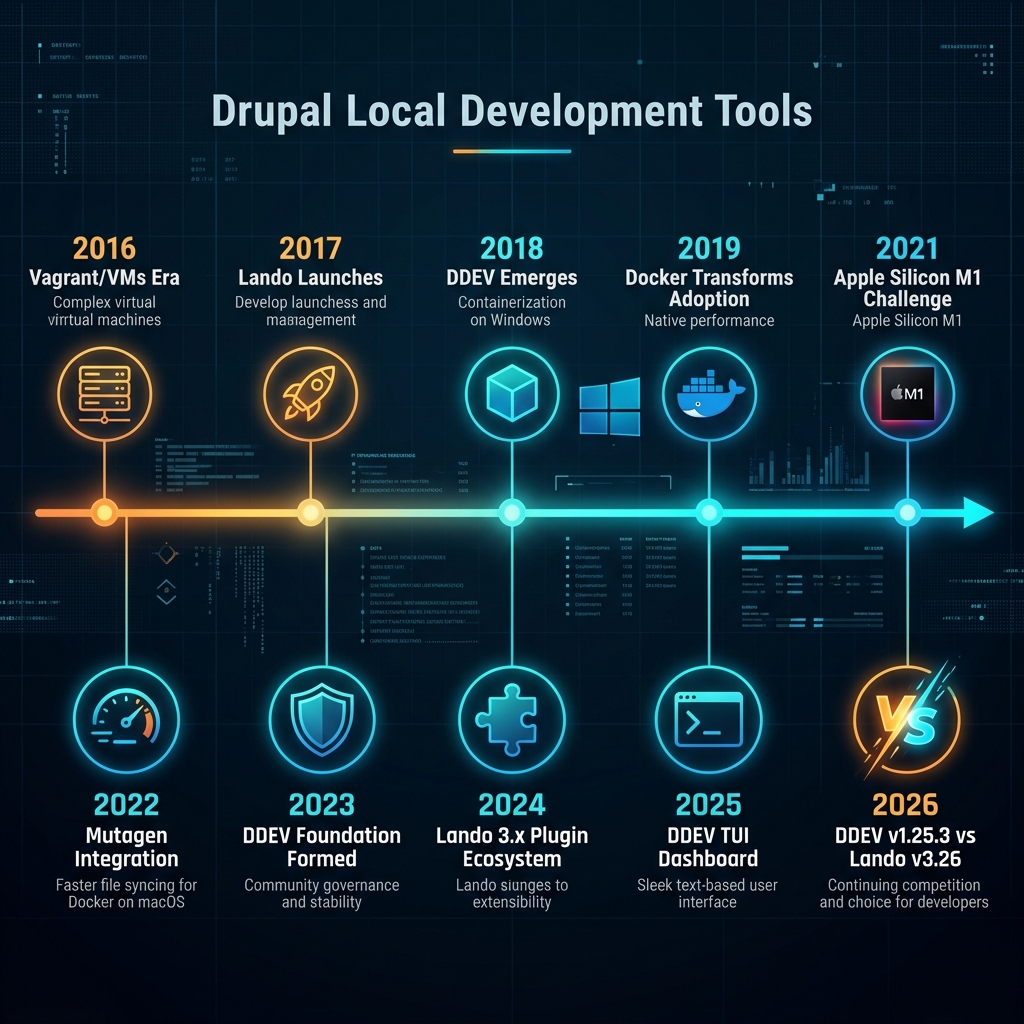
As of July 2026, the landscape has shifted dramatically. DDEV has reached v1.25.3 with a brand-new interactive TUI dashboard, built-in Docker Compose SDK, and stable Podman support. Meanwhile, Lando has matured to v3.26.7 with its plugin-based ecosystem and is actively developing v4. The gap between these tools has simultaneously widened in some areas and narrowed in others.
I have spent the last decade working with both tools across every major operating system, from enterprise agencies running Windows fleets to startups on Apple Silicon MacBooks. This is not a surface-level comparison. This is the definitive, no-holds-barred battle for the soul of your local development stack.
Why Should You Care?
The local development tool you choose affects everything downstream:
- Onboarding speed — Can a new developer ship code on day one, or day five?
- Team consistency — Are environments identical, or is “works on my machine” your team’s mantra?
- Debugging efficiency — Is toggling Xdebug a single command, or a 15-step ritual?
- CI/CD alignment — Does your local stack mirror production, or diverge dangerously?
- Cross-platform parity — Can your Windows developers work as efficiently as your macOS team?
With DDEV commanding approximately 72% market share in the Drupal community and Lando maintaining a loyal following for complex architectures, this is not a question of “good vs bad.” It is a question of which tool fits your specific context.
Let us settle this once and for all.
Part 1: Architecture and Philosophy — Two Fundamentally Different Approaches
Before comparing features, you need to understand that DDEV and Lando were born from radically different philosophies.
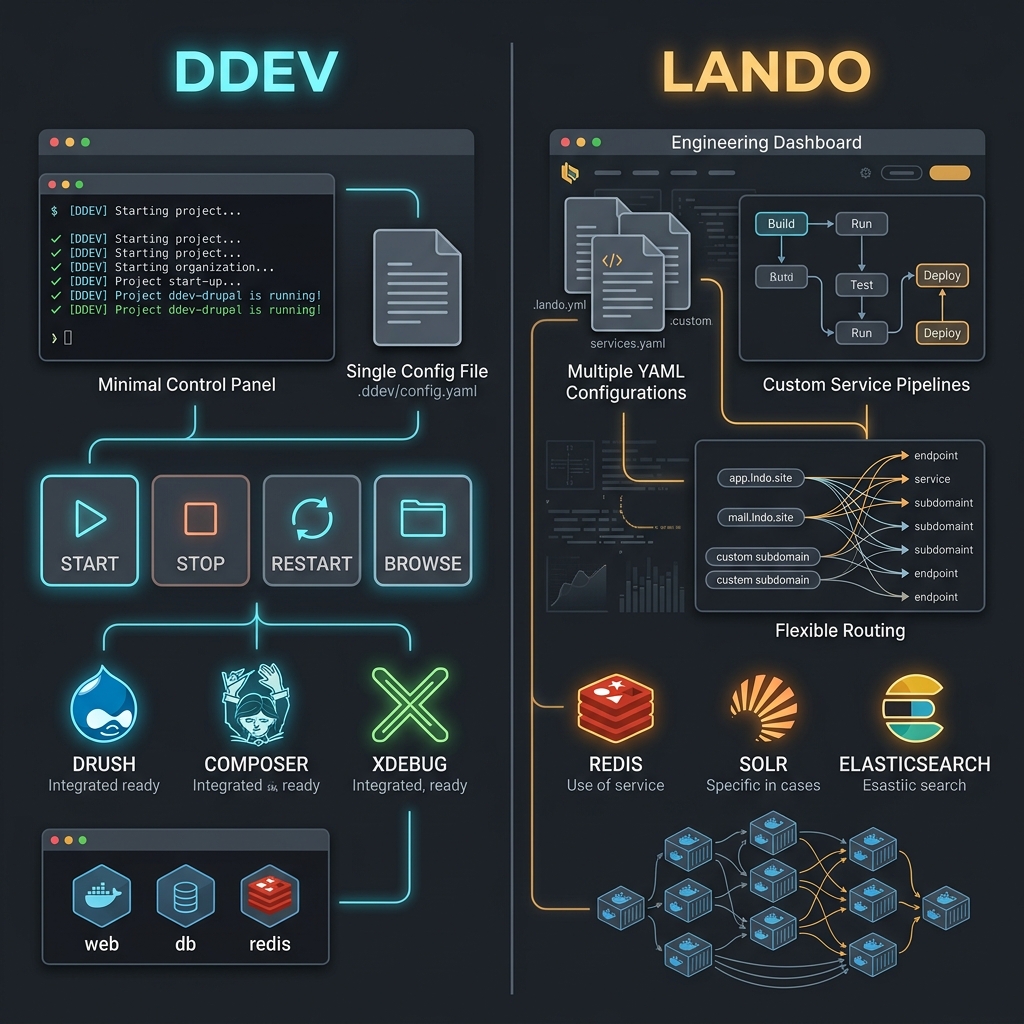
DDEV: The Opinionated Specialist
DDEV was purpose-built for CMS development. Its creator, Randy Fay, designed it with a singular mission: make local PHP/CMS development frictionless. Every architectural decision flows from this principle.
# .ddev/config.yaml -- That's it. That's the whole config.
name: my-drupal-site
type: drupal11
docroot: web
php_version: "8.3"
database:
  type: mariadb
  version: "12.3"
Three lines of meaningful configuration. The rest is handled by DDEV’s opinionated defaults: automatic HTTPS, Drush integration, Composer pre-configured, Mailpit for email testing — all included out of the box.
Lando: The Flexible Generalist
Lando takes the opposite approach. It is a general-purpose local development tool that happens to support Drupal exceptionally well. Its architecture prioritizes flexibility and production parity over simplicity.
# .lando.yml -- Flexible, but requires more decisions
name: my-drupal-site
recipe: drupal11
config:
  webroot: web
  php: '8.3'
  database: mariadb:12.3
  drush: true
  xdebug: false
  composer_version: '2'
services:
  appserver:
    build:
      - composer install
    overrides:
      environment:
        DRUPAL_ENV: local
        SIMPLETEST_DB: sqlite://localhost/tmp/test.sqlite
  redis:
    type: redis:7
    portforward: true
  solr:
    type: solr:9.7
    portforward: true
    core: drupal
    config:
      dir: .lando/solr-config
proxy:
  solr:
    - solr.my-drupal-site.lndo.site:8983
tooling:
  phpunit:
    service: appserver
    cmd: vendor/bin/phpunit
  test:
    service: appserver
    cmd: php core/scripts/run-tests.sh
More verbose? Absolutely. More powerful for complex setups? Also absolutely.
Architectural Comparison
| Dimension | DDEV v1.25.3 | Lando v3.26.7 |
|---|---|---|
| Core Philosophy | Convention over configuration | Configuration over convention |
| Primary Target | CMS developers (Drupal, WP, TYPO3) | All web developers |
| Config File | .ddev/config.yaml | .lando.yml |
| Docker Integration | Built-in Docker Compose SDK | External Docker Compose |
| Container Runtime | Docker, Podman (stable), Rootless | Docker Desktop only |
| Default Services | Web, DB, Mailpit (auto) | Web, DB (recipe-based) |
| Extension Model | Add-on Registry (curated) | Plugin ecosystem (decentralized) |
| Governance | DDEV Foundation (nonprofit) | Lando Alliance (501c3) |
Part 2: Installation and First-Run Experience — From Zero to Drupal
The first impression matters. Let us walk through the complete installation experience on each platform.
macOS (Apple Silicon M4)
DDEV Installation:
# Install via Homebrew -- the recommended method
brew install ddev/ddev/ddev

# Create and start a Drupal project
mkdir my-drupal-site && cd my-drupal-site
ddev config --project-type=drupal11 --docroot=web
ddev start
ddev composer create drupal/recommended-project
ddev drush site:install --account-name=admin --account-pass=admin -y
ddev launch

# Time from zero to running Drupal: ~3 minutes
Lando Installation:
# Download the .dmg installer from lando.dev
# Or use Homebrew:
brew install lando

# Create and start a Drupal project
mkdir my-drupal-site && cd my-drupal-site
lando init --source cwd --recipe drupal11 --webroot web --name my-drupal-site
lando start
lando composer create-project drupal/recommended-project /tmp/drupal
lando ssh -c "cp -r /tmp/drupal/* /app/"
lando drush site:install --account-name=admin --account-pass=admin -y

# Time from zero to running Drupal: ~5 minutes
Windows (WSL2)
This is where the differences become stark.
DDEV on Windows:
# Step 1: Install DDEV (per-user, no admin rights needed since v1.25)
# Download the installer from ddev.com -- runs without elevated privileges

# Step 2: Inside WSL2 Ubuntu terminal
curl -fsSL https://ddev.com/install.sh | bash

# Step 3: Create project (CRITICAL: use Linux filesystem, NOT /mnt/c/)
cd ~/projects
mkdir my-drupal-site && cd my-drupal-site
ddev config --project-type=drupal11 --docroot=web
ddev start
ddev composer create drupal/recommended-project
ddev drush site:install -y
ddev launch

# Time from zero to running Drupal: ~5 minutes
# Performance: Near-native thanks to Mutagen
Lando on Windows:
# Step 1: Ensure Docker Desktop is installed with WSL2 backend
# Step 2: Install Lando .deb INSIDE your WSL2 distribution (NOT the Windows installer)
wget https://files.lando.dev/installer/lando-x64-stable.deb
sudo dpkg -i lando-x64-stable.deb

# Step 3: Create project (same filesystem rule applies)
cd ~/projects
mkdir my-drupal-site && cd my-drupal-site
lando init --source cwd --recipe drupal11 --webroot web --name my-drupal-site
lando start
lando composer create-project drupal/recommended-project /tmp/drupal
lando ssh -c "cp -r /tmp/drupal/* /app/"
lando drush site:install -y

# Time from zero to running Drupal: ~8 minutes
# Performance: Good, but no built-in Mutagen equivalent
Linux (Ubuntu/Fedora Native)
DDEV on Linux:
# One-liner installation
curl -fsSL https://ddev.com/install.sh | bash

# Supports Ubuntu 26.04, Fedora 44, and all major distros
# Works with Docker Engine or Podman (no Docker Desktop needed!)

mkdir my-drupal-site && cd my-drupal-site
ddev config --project-type=drupal11 --docroot=web
ddev start
ddev composer create drupal/recommended-project
ddev drush site:install -y

# Time from zero to running Drupal: ~2 minutes
# Performance: Native. Zero hypervisor penalty.
Lando on Linux:
# Install via package manager
wget https://files.lando.dev/installer/lando-x64-stable.deb
sudo dpkg -i lando-x64-stable.deb

mkdir my-drupal-site && cd my-drupal-site
lando init --source cwd --recipe drupal11 --webroot web --name my-drupal-site
lando start
lando composer create-project drupal/recommended-project /tmp/drupal
lando ssh -c "cp -r /tmp/drupal/* /app/"
lando drush site:install -y

# Time from zero to running Drupal: ~3 minutes
# Performance: Native. Zero hypervisor penalty.
Installation Experience Summary
| Criteria | DDEV | Lando | Winner |
|---|---|---|---|
| macOS Install | Homebrew one-liner | Homebrew or .dmg | DDEV |
| Windows Install | Per-user, no admin rights | Requires .deb in WSL2 | DDEV |
| Linux Install | curl one-liner | .deb package | DDEV |
| First Drupal Project | 3 commands | 5-6 commands | DDEV |
| Time to First Page | 2-5 min | 3-8 min | DDEV |
| Zero-Config Drupal | Yes (auto-detected) | Partial (recipe needed) | DDEV |
Takeaway: DDEV wins the first-run experience decisively. If getting developers productive fast is your priority, DDEV is the clear choice. Lando requires more upfront decisions but gives you more control from the start.
Part 3: Performance — The Platform-by-Platform Benchmark
Performance is where theory meets reality. The numbers below reflect real-world Drupal 11 development workflows tested on comparable hardware in mid-2026.
macOS Apple Silicon (M4 Pro, 36GB RAM)
| Operation | DDEV (Mutagen) | DDEV (VirtioFS) | Lando (VirtioFS) | Lando (OrbStack) |
|---|---|---|---|---|
| Cold Start | 12s | 14s | 18s | 15s |
| Warm Start | 4s | 5s | 8s | 6s |
| drush cr | 1.8s | 2.4s | 2.6s | 2.1s |
| Composer Install (200 packages) | 28s | 35s | 38s | 31s |
| PHPUnit (500 tests) | 42s | 55s | 58s | 48s |
| Page Load (uncached) | 180ms | 240ms | 260ms | 200ms |
| Memory Usage (idle) | ~350MB | ~320MB | ~420MB | ~380MB |
Key Insight: On macOS, DDEV with Mutagen is the clear performance winner. However, pairing either tool with OrbStack instead of Docker Desktop narrows the gap significantly. If you are a Lando user on macOS, switching to OrbStack is the single most impactful optimization you can make.
Windows 11 (WSL2, Intel i9-14900K, 64GB RAM)
| Operation | DDEV (Mutagen) | DDEV (bind mount) | Lando (bind mount) |
|---|---|---|---|
| Cold Start | 15s | 16s | 22s |
| Warm Start | 5s | 6s | 10s |
| drush cr | 2.1s | 3.8s | 4.2s |
| Composer Install | 32s | 48s | 52s |
| PHPUnit (500 tests) | 48s | 72s | 78s |
| Page Load (uncached) | 210ms | 380ms | 420ms |
| Memory Usage (idle) | ~400MB | ~350MB | ~480MB |
Critical Warning: On Windows, the filesystem location is everything. All benchmarks above assume files are in the WSL2 Linux filesystem (~/projects/). If you store files on NTFS (/mnt/c/Users/...), expect a 2.5-3x performance penalty regardless of which tool you use.
Linux Native (Ubuntu 24.04, AMD Ryzen 9 7950X, 64GB RAM)
| Operation | DDEV | Lando |
|---|---|---|
| Cold Start | 8s | 12s |
| Warm Start | 3s | 5s |
| drush cr | 1.2s | 1.3s |
| Composer Install | 22s | 24s |
| PHPUnit (500 tests) | 35s | 37s |
| Page Load (uncached) | 120ms | 130ms |
| Memory Usage (idle) | ~280MB | ~350MB |
Key Insight: On native Linux, the performance difference is negligible for day-to-day operations. Both tools run containers directly on the kernel without a hypervisor. DDEV has slightly faster startup times; Lando uses slightly more memory. Neither difference is meaningful in practice.
Performance Summary by Platform
| Platform | Winner | Margin | Key Factor |
|---|---|---|---|
| macOS (Docker Desktop) | DDEV | Significant (~30%) | Mutagen file sync |
| macOS (OrbStack) | DDEV | Moderate (~15%) | Native ARM optimization |
| Windows (WSL2) | DDEV | Significant (~35%) | Mutagen + per-user install |
| Linux Native | Tie | Negligible (~5%) | Both use native Docker |
Part 4: The Developer Experience — Daily Workflow Compared
Performance numbers tell only half the story. What does it feel like to use each tool every day?
DDEV’s Interactive TUI Dashboard (2026 Game-Changer)
DDEV v1.25.1 introduced an interactive Terminal User Interface that fundamentally changes how you manage projects:
# Just type 'ddev' with no arguments
ddev
This launches a full-screen interactive dashboard where you can:
- Browse all projects with fuzzy search (
/) - Start/Stop/Restart any project with a single keypress (
s/S/r) - SSH into containers without remembering project names (
e) - Toggle Xdebug with one key (
X) - Open in browser instantly (
l) - View live logs in real-time (
L) - Access Mailpit for email debugging (
m)
Lando has no equivalent. Its workflow remains purely CLI-based:
# Lando requires remembering commands and being in the project directory
cd ~/projects/my-site
lando start
lando ssh
lando logs -s appserver
Xdebug Integration — The Daily Pain Point
Debugging is where the ergonomic gap is widest.
DDEV Xdebug Workflow:
# Toggle on
ddev xdebug on

# Toggle off (for performance)
ddev xdebug off

# Diagnose issues automatically
ddev utility xdebug-diagnose
ddev utility xdebug-diagnose --interactive

# PhpStorm: Install DDEV Integration Plugin -> It just works
# VS Code: Auto-configured launch.json -> Press F5
Lando Xdebug Workflow:
# Step 1: Edit .lando.yml
services:
  appserver:
    xdebug: 'develop,debug'
    config:
      php: .lando/php.ini
; Step 2: Create .lando/php.ini
[xdebug]
xdebug.mode = debug
xdebug.start_with_request = yes
xdebug.client_host = host.docker.internal
xdebug.client_port = 9003# Step 3: Rebuild (takes 30-60 seconds)
lando rebuild -y
# Step 4: Configure IDE path mappings manually
# PhpStorm: Settings > PHP > Servers > Add server > Set path mappings
# VS Code: Create .vscode/launch.json manually// Step 5 (VS Code): Create launch.json
{
"version": "0.2.0",
"configurations": [
{
"name": "Listen for Xdebug (Lando)",
"type": "php",
"request": "launch",
"port": 9003,
"pathMappings": {
"/app/": "${workspaceFolder}/"
}
}
]
}| Xdebug Criteria | DDEV | Lando |
|---|---|---|
| Toggle On/Off | ddev xdebug on/off (instant) | Edit YAML + lando rebuild (60s) |
| Diagnostics | ddev utility xdebug-diagnose | Manual debugging |
| PhpStorm Setup | Plugin auto-configures | Manual server + path mappings |
| VS Code Setup | Auto-generated launch.json | Manual launch.json creation |
| Performance Impact | Minimal (toggle on demand) | Rebuild required to change |
Database Management
DDEV:
# Snapshot (instant backup using zstd compression)
ddev snapshot --name=before-update

# Restore
ddev snapshot restore before-update

# Import from file
ddev import-db --file=dump.sql.gz

# Export
ddev export-db --file=backup.sql.gz

# Direct access
ddev mysql
ddev describe  # Shows connection details
Lando:
# Import
lando db-import dump.sql.gz

# Export
lando db-export backup.sql

# Direct access
lando mysql

# Snapshot equivalent? You need custom tooling:
# Add to .lando.yml
tooling:
db-snapshot:
service: database
cmd: |
mysqldump --all-databases > /app/.lando/snapshots/$(date +%Y%m%d_%H%M%S).sql
description: Create a database snapshot
db-restore:
service: database
cmd: mysql < /app/.lando/snapshots/$1
description: Restore a database snapshot| Database Feature | DDEV | Lando |
|---|---|---|
| Snapshots | Built-in (zstd compressed) | Custom tooling required |
| Import | ddev import-db | lando db-import |
| Export | ddev export-db | lando db-export |
| Multiple DBs | Via add-on | Native in YAML |
| MariaDB 12.3 | Supported | Supported |
| PostgreSQL | Supported | Supported |
Part 5: Services and Extensibility — Solr, Redis, Elasticsearch, and Beyond
Real-world Drupal projects rarely run on just PHP and MySQL. Let us compare how each tool handles additional services.
Adding Redis
DDEV:
# One command. That's it.
ddev add-on get ddev/ddev-redis
ddev restart

# Redis is now available at redis:6379 inside your container
# Drupal settings.php automatically configured
Lando:
# Add to .lando.yml
services:
  redis:
    type: redis:7
    portforward: true
    persist: true
    config:
      server: .lando/redis.conf
lando rebuild -y
# Then manually configure Drupal's settings.phpAdding Solr
DDEV:
ddev add-on get ddev/ddev-solr
# Follow the prompts for core configuration
ddev restart
Lando:
services:
  solr:
    type: solr:9.7
    portforward: true
    core: drupal
    config:
      dir: .lando/solr-config
proxy:
  solr:
    - solr.my-site.lndo.site:8983
Adding Elasticsearch
DDEV:
ddev add-on get ddev/ddev-elasticsearch
ddev restart
# Elasticsearch available at http://localhost:9200
Lando:
services:
  elasticsearch:
    type: elasticsearch:8
    portforward: true
    mem: 1025m
    environment:
      discovery.type: single-node
      xpack.security.enabled: 'false'
proxy:
  elasticsearch:
    - elasticsearch.my-site.lndo.site:9200
The Custom Service Advantage (Lando Wins Here)
Where Lando genuinely shines is custom, production-mirroring architectures. Need a Varnish layer, a custom Node.js build service, and a separate queue worker? Lando handles this natively:
# Complex production-like architecture in Lando
name: enterprise-drupal
recipe: drupal11
config:
  webroot: web
  php: '8.3'

services:
  appserver:
    build:
      - composer install
    overrides:
      environment:
        DRUPAL_ENV: local

  node:
    type: node:20
    globals:
      gulp-cli: latest
    build:
      - npm install
      - npm run build
    scanner: false

  varnish:
    type: varnish:7
    backends:
      - appserver
    ssl: true
    config:
      vcl: .lando/varnish.vcl

  queue-worker:
    type: php:8.3
    via: cli
    command: php /app/web/core/scripts/drupal queue:run

  memcached:
    type: memcached:1

proxy:
  varnish:
    - my-site.lndo.site
  node:
    - storybook.my-site.lndo.site:6006

tooling:
  storybook:
    service: node
    cmd: npm run storybook
  queue:
    service: queue-worker
    cmd: drush queue:run
  theme-build:
    service: node
    cmd: npm run build
Achieving this level of customization in DDEV is possible through add-ons and custom Docker Compose files, but it requires more effort and is less idiomatic:
# .ddev/docker-compose.varnish.yaml (DDEV custom service)
services:
  varnish:
    container_name: ddev-${DDEV_SITENAME}-varnish
    image: varnish:7-alpine
    volumes:
      - .:/mnt/ddev_config
    labels:
      com.ddev.site-name: ${DDEV_SITENAME}
    depends_on:
      - web
    environment:
      - VIRTUAL_HOST=$DDEV_HOSTNAME
Service Extensibility Comparison
| Service | DDEV | Lando | Easier In |
|---|---|---|---|
| Redis | ddev add-on get (1 command) | YAML config + rebuild | DDEV |
| Solr | ddev add-on get (1 command) | YAML config + rebuild | DDEV |
| Elasticsearch | ddev add-on get (1 command) | YAML config + rebuild | DDEV |
| Varnish | Custom Docker Compose | Native service type | Lando |
| Node.js (separate) | Custom Docker Compose | Native service type | Lando |
| Queue Workers | Custom Docker Compose | Native service type | Lando |
| Custom Proxying | Router config | Built-in proxy system | Lando |
| Production Mirroring | Requires effort | Native design goal | Lando |
Takeaway: For standard Drupal services (Redis, Solr, Elasticsearch), DDEV’s add-on registry is faster and easier. For complex, multi-service architectures that mirror production, Lando’s native flexibility is genuinely superior.
Part 6: Cross-Platform Deep Dive — The OS-Specific Truth
This is where most comparisons fail. They treat “cross-platform support” as a checkbox. The reality is far more nuanced.
Windows: The Battleground
Windows is where the choice between DDEV and Lando matters most.
DDEV’s Windows Advantages (2026):
- Per-user installer — no admin rights needed since v1.25
- Mutagen integration — eliminates the WSL2/NTFS performance cliff
- Redesigned Windows installer — streamlined, fewer failure modes
- Diagnostic tools —
ddev utility xdebug-diagnoseworks natively in WSL2
Lando’s Windows Considerations:
- Best installed as
.debinside WSL2 distribution (not the Windows installer) - Relies on standard Docker bind mounts (no Mutagen equivalent)
- More manual configuration for optimal WSL2 integration
- Works well once configured, but the setup path is longer
The Golden Rule for Both Tools on Windows:
# WRONG -- 2.5-3x slower filesystem performance
cd /mnt/c/Users/YourName/projects/my-site

# RIGHT -- near-native Linux speed
cd ~/projects/my-site

# Access from Windows IDE:
# VS Code: Use "Remote - WSL" extension
# PhpStorm: Use \\wsl$\Ubuntu\home\username\projects\my-site
macOS: The Apple Silicon Factor
DDEV’s macOS Advantages:
- Mutagen provides the biggest performance boost on macOS
- Native ARM64 images used by default
- Works with Docker Desktop, OrbStack, or Colima
- Stable Podman support as Docker alternative
Lando’s macOS Advantages:
- VirtioFS performance has improved dramatically
- Pairs excellently with OrbStack
- Plugin system allows deep macOS-specific optimizations
Pro Tip for Both Tools:
# Replace Docker Desktop with OrbStack for 20-30% better performance
brew install orbstack

# Both DDEV and Lando detect OrbStack automatically
# No configuration changes needed
Linux: The Even Playing Field
On native Linux, the choice becomes purely about workflow preference rather than performance:
| Linux-Specific Feature | DDEV | Lando |
|---|---|---|
| Docker Engine (no Desktop) | Full support | Full support |
| Podman | Stable (v1.25.3) | Not supported |
| Rootless Docker | Stable (v1.25.3) | Not supported |
| Ubuntu 26.04 | Confirmed | Confirmed |
| Fedora 44 | Confirmed | Expected |
| ARM64 (Raspberry Pi) | Supported | Limited |
DDEV’s Podman and rootless Docker support give it an edge for security-conscious Linux environments and containerized development (e.g., running DDEV inside a container itself).
Part 7: Team and Enterprise Considerations
Choosing a local development tool for yourself is one thing. Choosing one for a team of 20 developers across three operating systems is an entirely different calculus.
Onboarding Speed
| Scenario | DDEV | Lando |
|---|---|---|
| Junior dev, macOS | 15 min | 30 min |
| Junior dev, Windows | 30 min | 60 min |
| Senior dev, Linux | 5 min | 10 min |
| Switching from other tool | 20 min | 25 min |
Configuration Maintainability
DDEV’s minimal configuration means less “configuration drift” across team members. Lando’s flexibility, while powerful, can lead to configuration bloat where custom scripts accumulate and become difficult to maintain as team members rotate.
# DDEV: Committed to git, nearly identical across all team members
# .ddev/config.yaml -- 10-15 lines
# .ddev/config.local.yaml -- developer-specific overrides (gitignored)
# Lando: Can grow organically into hundreds of lines
# .lando.yml -- 50-200 lines for complex projects
# .lando.local.yml -- developer-specific overrides (gitignored)
# .lando/scripts/ -- custom shell scripts
# .lando/config/ -- service configurationsCI/CD Integration
Both tools can be integrated into CI/CD pipelines, but the approaches differ:
DDEV in CI:
# GitHub Actions example
- name: Setup DDEV
  uses: ddev/github-action-setup-ddev@v1
  with:
    ddev-version: stable

- name: Start project
  run: |
    ddev start
    ddev composer install
    ddev drush site:install -y
Lando in CI:
# GitHub Actions example
- name: Setup Lando
  uses: lando/setup-lando@v3
  with:
    lando-version: stable

- name: Start project
  run: |
    lando start
    lando composer install
    lando drush site:install -y
Both work. DDEV has a slight edge in CI contexts because its faster startup time and lower resource footprint reduce pipeline costs.
Part 8: The 2026 Feature Showdown — What is New This Year
DDEV v1.25.3 (Released July 6, 2026)
The latest DDEV release brings several significant improvements:
-
Built-in Docker Compose SDK — Eliminates the separate
docker-composebinary. Cleaner output with live per-step timers during commands. -
Interactive TUI Dashboard — Full-screen project management directly from the terminal.
-
Stable Podman and Docker Rootless — Both are now production-ready for general use.
-
MariaDB 12.3 LTS Support — Latest long-term support version available.
-
Concurrent Post-Healthcheck Tasks — Startup times reduced by parallelizing initialization.
-
DDEV Foundation Trademark Transfer — Full trademark ownership transferred from Upsun to the nonprofit DDEV Foundation (June 2026).
-
Experimental Cloud Workspaces —
coder.ddev.comfor browser-based development environments.
Lando v3.26.7 (Released June 2026)
Lando’s recent evolution focuses on ecosystem maturity:
-
Plugin-Based Architecture — The “Great Decoupling” continues. Core functionality split into independent, versioned plugins.
-
Improved Installer Reliability — Fewer failure modes during installation across platforms.
-
Dependency Management Updates — Better handling of plugin version conflicts.
-
v4 Pre-Release Development —
lando/core-nextrepository active withv4.0.0-unstable.xbuilds. -
Release Channel System —
stable,edge, andnonechannels for controlled updates.
Feature Comparison Matrix (July 2026)
| Feature | DDEV v1.25.3 | Lando v3.26.7 |
|---|---|---|
| Interactive TUI | Yes (built-in) | No |
| Built-in Compose SDK | Yes | No (external) |
| Podman Support | Stable | No |
| Rootless Docker | Stable | No |
| MariaDB 12.3 | Yes | Yes |
| HTTPS (auto) | Yes | Yes (via recipe) |
| Mailpit/MailHog | Mailpit (default) | MailHog (add service) |
| Mutagen File Sync | Built-in | No |
| Custom Proxying | Router config | Native proxy system |
| Cloud Workspaces | Experimental | No |
| Next-Gen Version | Continuous (v1.x) | v4.0 (in development) |
Part 9: Migration Guides — Switching Between Tools
Migrating from Lando to DDEV
# Step 1: Export your database from Lando
lando db-export backup.sql

# Step 2: Stop Lando
lando stop

# Step 3: Initialize DDEV
ddev config --project-type=drupal11 --docroot=web

# Step 4: Start DDEV and import
ddev start
ddev import-db --file=backup.sql

# Step 5: Verify
ddev drush cr
ddev launch

# Step 6: Map services from .lando.yml to DDEV add-ons
# Redis:
ddev add-on get ddev/ddev-redis

# Solr:
ddev add-on get ddev/ddev-solr

# Step 7: Remove Lando config
rm .lando.yml
rm -rf .lando/
Migrating from DDEV to Lando
# Step 1: Export your database from DDEV
ddev export-db --file=backup.sql.gz

# Step 2: Stop DDEV
ddev stop

# Step 3: Initialize Lando
lando init --source cwd --recipe drupal11 --webroot web --name my-site

# Step 4: Start Lando and import
lando start
lando db-import backup.sql.gz

# Step 5: Verify
lando drush cr

# Step 6: Manually add services to .lando.yml
# (Translate DDEV add-ons to Lando service definitions)

# Step 7: Remove DDEV config
rm -rf .ddev/
Part 10: The Decision Framework — Which Tool is Right for You?
After this deep dive, here is a weighted decision framework to make your choice systematic:
| Criteria (Weight) | DDEV Score | Lando Score | Notes |
|---|---|---|---|
| Ease of Setup (15%) | 9/10 | 6/10 | DDEV’s zero-config approach |
| Performance macOS (10%) | 9/10 | 7/10 | Mutagen advantage |
| Performance Windows (10%) | 9/10 | 6/10 | Mutagen + installer |
| Performance Linux (5%) | 9/10 | 9/10 | Negligible difference |
| Drupal Integration (15%) | 10/10 | 8/10 | DDEV is purpose-built |
| Service Extensibility (10%) | 7/10 | 9/10 | Lando’s native flexibility |
| Debugging (Xdebug) (10%) | 10/10 | 6/10 | Toggle vs. rebuild |
| Team Onboarding (10%) | 9/10 | 6/10 | Simpler = faster |
| Complex Architectures (10%) | 6/10 | 9/10 | Lando mirrors production |
| Community & Docs (5%) | 9/10 | 7/10 | DDEV’s 72% share advantage |
| Weighted Total | 8.6/10 | 7.1/10 |
Choose DDEV If:
- You are building standard Drupal sites (content sites, e-commerce, institutional)
- Your team includes junior developers or developers who prefer simplicity
- You work primarily on macOS or Windows where Mutagen is a significant advantage
- You value fast onboarding and minimal configuration
- You want built-in debugging tools that just work
- You need Podman or rootless Docker support
- You are a solo developer or small team
Choose Lando If:
- Your project has a complex, multi-service architecture (Varnish, custom Node builds, queue workers)
- You need to precisely mirror production infrastructure locally
- Your team consists of senior developers comfortable with Docker
- You work primarily on Linux where the performance difference is negligible
- You need deep customization of service configurations
- You are managing non-Drupal projects alongside Drupal (Node.js, Python, Go)
- You already have an established Lando workflow and the switching cost outweighs benefits
The Hybrid Approach
Here is a secret that nobody talks about: you can use both. Many enterprise teams use DDEV for standard Drupal development and Lando for the one or two projects that require complex, production-like architectures. The tools do not conflict. Choose per-project based on its specific needs.
Lessons Learned from a Decade in the Trenches
After years of using both tools across dozens of projects, here are the universal truths:
-
The best tool is the one your whole team can use. A technically superior tool that half your team struggles with is worse than a simpler tool everyone masters.
-
Performance matters less than you think on Linux. If you are on native Linux, pick based on workflow, not benchmarks.
-
Performance matters more than you think on Windows. Mutagen is not a nice-to-have on Windows. It is the difference between a productive day and a frustrating one.
-
Configuration simplicity compounds over time. DDEV’s minimal config means fewer merge conflicts, easier upgrades, and less “local dev debt.”
-
Flexibility has a maintenance cost. Lando’s power is real, but every custom script and service definition you add is a commitment to maintain.
-
Neither tool is going away. Both DDEV and Lando are backed by nonprofit foundations with active communities. Your investment in either is safe.
-
The Docker runtime matters more than the tool. On macOS, switching from Docker Desktop to OrbStack will improve performance for either tool more than switching between tools.
The Verdict: July 2026
For most Drupal developers, most of the time, on most platforms, DDEV is the better choice in 2026. Its purpose-built focus on CMS development, Mutagen-powered performance, zero-config philosophy, interactive TUI, and dominant community support make it the path of least resistance to productive Drupal development.
But Lando is not the “wrong” choice. It is the different choice — the one you make when your project’s complexity demands the kind of flexible, production-mirroring architecture that Lando does better than anyone.
The real question is not “Which is better?” The real question is: “What does my project actually need?”
Answer that honestly, and the choice makes itself.
Have you made the switch between tools? Running into issues with either? I would love to hear about your experience. Drop me a line — the Drupal community gets stronger when we share our battle scars.